
Livestream features often look small compared with the host, the topic, or the main event. A pinned comment, a chat highlight, a reminder button, a reaction icon, or a simple replay marker may not seem important at first. But inside a popular live room, these features quietly shape how viewers understand, join, react, and stay.
A live session can have a strong topic and still feel confusing if the room has no guidance. New viewers may enter in the middle, miss the main point, and leave within seconds. Quiet viewers may want to participate but do not know how. Returning viewers may enjoy the host but forget when the next session happens. Small livestream features help solve those problems.
For Popular Livestream Sound of Text, this topic belongs in the Features category because it looks at the details that make live content easier to experience. Popularity is not only about big ideas. Sometimes, it grows from tiny interface habits that make viewers feel less lost.
Popular Live Rooms Feel Clear Before They Feel Crowded
A popular live room does not only attract people. It helps them understand what is happening quickly. That clarity matters because live viewers often enter late, leave briefly, return again, or watch while multitasking.
Pinned Information Gives New Viewers A Landing Point
One of the most useful livestream features is pinned information. This can be a pinned comment, pinned product, pinned topic, pinned schedule, or pinned instruction.
A pinned message works like a small sign on the door. It tells viewers where they are and what the live session is about.
For example:
- “Today’s topic is beginner camera setup.”
- “Product demo starts every 10 minutes.”
- “Drop questions with the word QUESTION.”
- “Next guest joins at 8 PM.”
- “Replay highlights will be posted after the session.”
Without pinned information, new viewers have to guess. They may arrive while the host is answering a random comment and assume the whole session has no structure.
Pinned information lowers that confusion. It makes the room easier to enter.
Clear Labels Make The Session Feel Organized
Labels can help viewers understand different parts of the live room. This may include topic labels, product names, guest names, countdown labels, chapter markers, or section titles.
A label does not need to be fancy. It only needs to tell viewers what they are seeing.
A live room with clear labels feels more intentional. A live room without them can feel like walking into a conversation where everyone already knows the context except you.
Interaction Features Turn Watching Into Participation
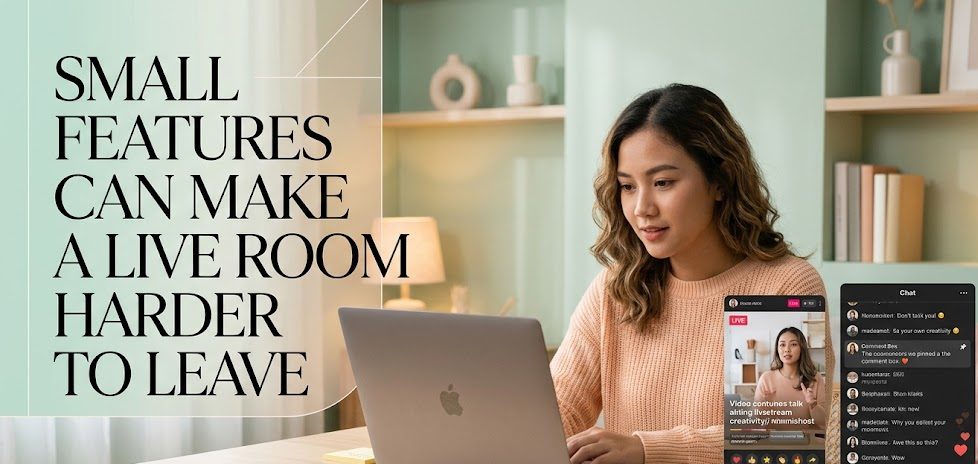
Livestreaming feels different from recorded content because viewers can affect the moment. Interaction features help that difference become visible.
Reaction Tools Create Low-Pressure Participation
Not every viewer wants to type a comment. Some are shy. Some are multitasking. Some are watching from a place where typing is inconvenient. Reaction tools allow them to participate with less effort.
Simple reactions can show:
- agreement
- excitement
- confusion
- support
- interest
- surprise
These small signals matter because they help the room feel alive. The host can sense the audience mood, and viewers can see that other people are present.
Reaction tools are especially useful in large live rooms where the chat moves too fast. A viewer may not be able to join the conversation, but they can still leave a signal.
Polls Give The Audience A Shared Moment
Polls are powerful because they create a shared decision point. Instead of only watching, viewers can vote and then wait for the result.
A poll can be used for:
| Poll Type | How It Helps The Live Room |
|---|---|
| Topic poll | Lets viewers choose the next discussion |
| Product poll | Shows what buyers want to see next |
| Opinion poll | Creates debate without messy comments |
| Difficulty poll | Helps educators adjust explanation level |
| Fun poll | Adds light interaction during slow moments |
A good poll does not interrupt the session. It supports the flow. It gives viewers a small reason to stay because they want to see what other people choose.
Chat Features Shape The Room’s Social Energy
Chat can make a livestream feel active, but it can also become chaotic. Popular live rooms often depend on chat features that help control the energy without removing the audience’s voice.
Highlighted Comments Make Viewers Feel Seen
When a host highlights a viewer comment, the live room changes for a moment. The comment becomes part of the main session, not just something moving quickly on the side.
This feature is useful for questions, funny reactions, helpful corrections, testimonials, or comments that represent what many people are thinking.
A highlighted comment tells viewers, “The chat matters here.”
That feeling can make people more willing to participate. They know their words are not disappearing into a fast-moving river.
Moderation Tools Protect The Viewing Experience
A popular live room needs safety and order. Without moderation, spam, harassment, repeated links, or aggressive comments can ruin the mood.
Moderation tools may not look exciting, but they protect the audience experience. They keep the room from becoming exhausting.
Good moderation helps:
- remove spam
- reduce harassment
- keep discussion relevant
- protect guests or hosts
- prevent dangerous links
- maintain the tone of the room
A live room that feels safe is easier to stay in. Viewers may not always notice good moderation, but they quickly notice when it is missing.
Retention Features Help Viewers Return Later
Popularity is not only about who joins today. It is also about who comes back tomorrow, next week, or during the next event. Retention features help turn one-time viewers into returning viewers.
Reminders Make Live Content Easier To Remember
Livestreams are tied to time. If viewers forget the schedule, they miss the session. Reminder features help solve that problem.
A reminder can be used before:
- product launches
- creator Q&A sessions
- music performances
- gaming events
- online classes
- watch parties
- interviews
- weekly shows
This feature is simple but important. A viewer may like the content but still forget to return. Reminders reduce that gap between interest and attendance.
Replays Give The Live Session A Second Life
Not everyone can watch live. Replays help a session continue after the live moment ends.
A good replay experience is more than a saved video. It can include titles, chapters, highlights, product links, pinned notes, or edited clips. These details help late viewers understand what happened without watching the whole session blindly.
Replays also help popular live rooms grow because strong moments can travel beyond the original broadcast.
Popularity Often Comes From Less Friction
Many livestream features work because they reduce friction. They make it easier to join, easier to understand, easier to react, easier to buy, easier to ask, easier to return, or easier to watch later.
Smooth Features Keep Viewers From Working Too Hard
Viewers do not want to solve the room before enjoying the content. If they have to ask what is happening, search for the link, scroll for the product, guess the schedule, or decode the chat rules, they may leave.
Small features reduce that effort.
A live room becomes easier when viewers can quickly see:
- The topic of the session.
- The main action available.
- The way to participate.
- The next important moment.
- The path to return later.
These details may look basic, but they shape viewer comfort.
Helpful Features Should Not Overcrowd The Screen
Too many features can also become a problem. A live room filled with popups, banners, stickers, product cards, alerts, and moving graphics can feel noisy.
Good livestream design uses features with purpose. The goal is not to decorate every corner. The goal is to guide the viewer.
A feature is useful when it answers a real viewer need. It becomes clutter when it only competes for attention.
The Feature Layer Behind Popular Live Rooms
Popular live rooms often look effortless from the outside. The host seems natural, the chat feels active, viewers understand the flow, and the session moves without too much confusion. But behind that ease, small livestream features are doing quiet work.
Pinned information helps new viewers enter. Reaction tools let quiet viewers participate. Polls create shared moments. Highlighted comments make the chat feel visible. Moderation keeps the room safe. Reminders bring people back. Replays extend the life of the session.
These features do not replace good content. They support it. A weak live session will not become strong only because it has buttons and overlays. But a good session can become much easier to follow when the feature layer is used well.
That is why small livestream features matter. They help live rooms feel less random and more welcoming. They turn attention into participation, and participation into a reason to stay.

Paolo Sarmiento has worked as an entertainment editor, community moderator, and livestream reviewer for digital publications in Southeast Asia.
His coverage includes gaming broadcasts, music performances, talk shows, educational channels, and creator-led events. Rather than ranking content by viewer count alone, he also considers production consistency, audience trust, originality, accessibility, and the quality of community interaction.

1 comment
Comments are closed.